


The Data Quality Challenge
Data quality programs that focus on cleanup are fighting downstream. The cost of fixing a data error after entry is an order of magnitude higher than preventing it.
- Forms are confusing, field requirements unclear, and processes differ across departments
- Training happened weeks or months before the person encounters the actual form
- System updates introduce new error patterns that previous training did not cover
- No mechanism to enforce data standards at the point of entry across the entire organisation
How Userlane Ensures Data Quality
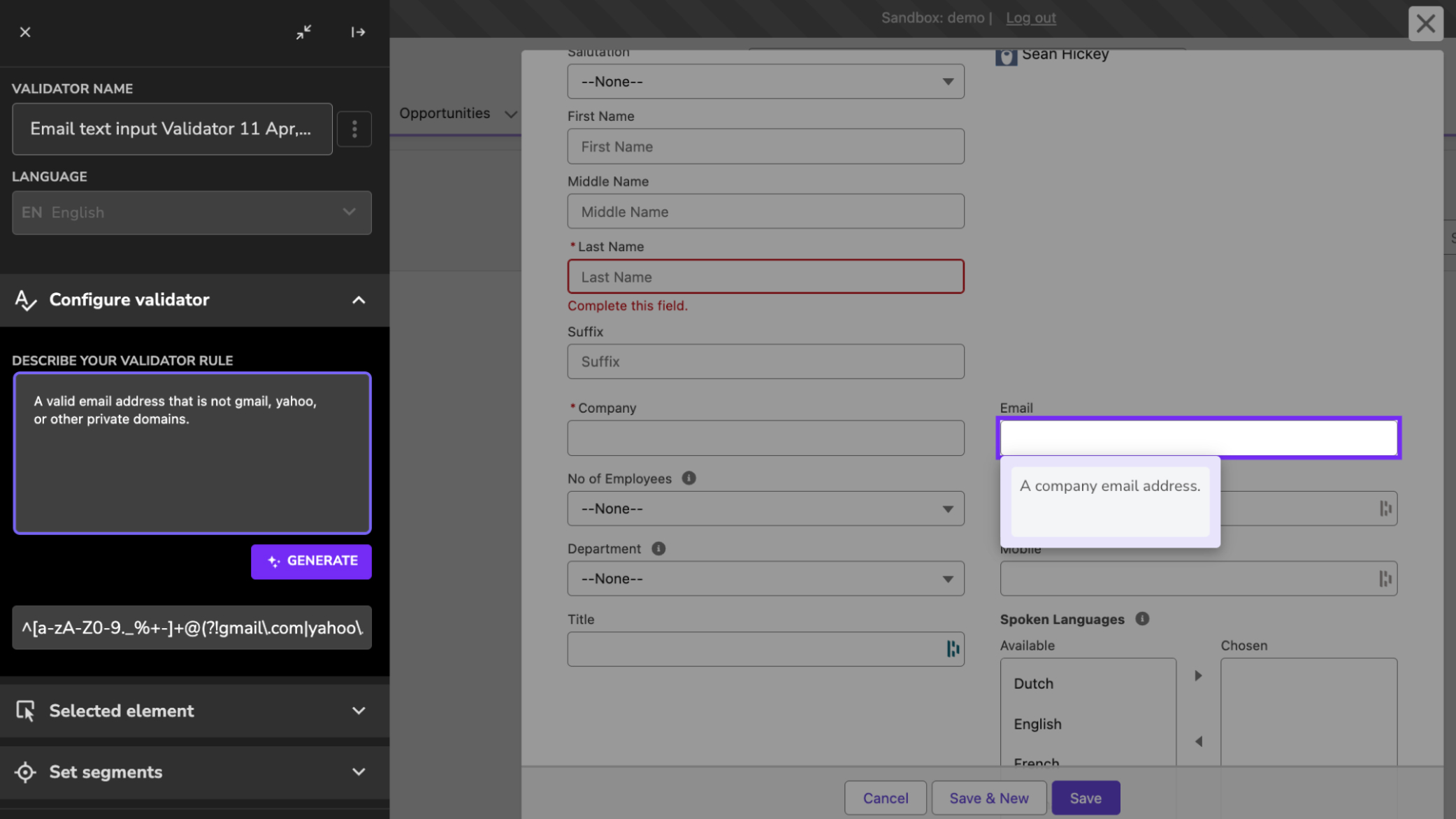
Catch errors before submission
Errors are caught before they enter your systems, not discovered weeks later in a data quality report. Validators check entries against your rules as people work, and can warn at the submit button listing every field that does not meet them.
- Measure how often errors happen first, without interrupting anyone, so you have a real error rate before you change anything
- Enforce correct formats and patterns at the field level, and flag out-of-range values before submission
- Warn people at the submit button, listing the fields that do not meet the rules, and let them correct or proceed

Standardise data entry
Every person follows the same process, regardless of when they were trained. Guided workflows standardise data entry and eliminate the variation that causes inconsistency.
Without guidance at the point of entry, people fill in forms differently. Standardised workflows reduce the need for post-entry correction.
- Auto-populate known fields to reduce manual entry and errors
- Explain field requirements in context so people understand what is expected
- Guide people through the correct sequence and format for each process
Proven Impact
- 70% higher process efficiency.
A European bank combined in-app guidance with real-time validation. One digitalization lead reported: "Our employees complete complex processes smoothly now." - Standardised processes across sites.
A global manufacturer improved data quality and reduced training efforts by 75% by enforcing consistent processes across its global operations.
70%
Higher process efficiency - European bank
91%
Better software usage - global manufacturer

