
Reducing missed clock-ins for clinical staff
Automate Processes and Tasks

Clock Challenge
Missed and incorrect clock-ins for clinical staff are preventable at the point of entry. Most workforce management systems accept a late or incomplete time record without warning.
Every shift, clinical staff are expected to clock in and out through the workforce management system: recording start time, break periods, department assignment, and pay code. Each entry feeds payroll, staffing reports, and labor cost tracking. A missed clock-in means the manager reconstructs the shift from memory. An incorrect department code routes the labor cost to the wrong budget.
The errors follow predictable patterns. A nurse arriving for a 12-hour shift goes directly to the floor and clocks in 40 minutes later, entering an estimated start time. A float nurse assigned to a different unit forgets to change the department code because the default populates automatically. These are not knowledge failures. The workforce management system does not prompt for timely or accurate entry, and classroom training cannot close a gap that reopens with every new starter, every float assignment, and every schedule change.

Our Solution
Userlane is a software adoption platform that works inside browser-based applications. For timekeeping workflows, it catches missed and incorrect clock-ins where they happen: inside the workforce management system, during the clock-in itself.
Prompting timely clock-ins
In-app guidance prompts clinical staff to clock in when they first access any browser-based application at the start of a shift. For staff who have not yet recorded a clock-in, the prompt surfaces inside the application they are already using, without requiring them to navigate to the workforce management system first.
Catching incorrect entries before they are saved
Validators check each time entry as the staff member completes it. A department code that does not match the day’s assignment, a pay code outside the expected set for the staff member’s role, a start time entered more than 30 minutes after the scheduled shift start: each is flagged before the record is saved, not discovered during the manager’s weekly timesheet review.
Tracking timekeeping accuracy over time
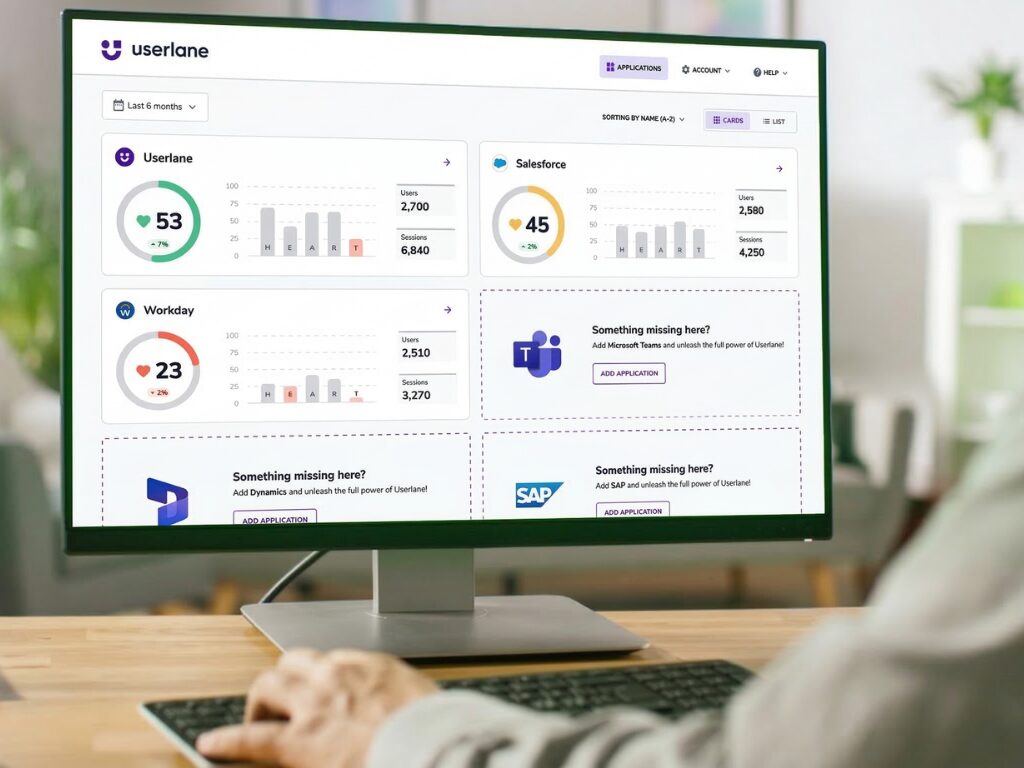
The HEART Score, Userlane’s application health metric, tracks the share of clock-in entries completed correctly and on time. The workforce management team sees the breakdown by department, role type, and shift pattern: where timekeeping improved and where gaps remain.
Measure. Act. Prove.
Every deployment follows the same cycle. Measurement comes first, intervention second, proof third. The cycle repeats with each new workflow.
Measure
Userlane records every clock-in entry before any intervention starts. The data shows where timekeeping errors concentrate, so the team acts on evidence, not assumptions.
Validators observe. Every clock-in is recorded: which entries are on time, which are late, where staff select incorrect department codes or pay codes. Nothing changes for the clinical staff. The workforce management system works exactly as before.
A pattern emerges. Night-shift staff clock in late at three times the day-shift rate. Float nurses enter the wrong department code on 40% of reassigned shifts. Part-time clinicians select incorrect pay codes consistently for the first month after onboarding. The HEART Score puts a single number on the workflow’s health.
The team sees the real problem. Not “everyone needs timekeeping training.” Float assignments and one pay code dropdown need targeted support. The intervention writes itself.
Act
In-app guidance and Validators deploy only where the measurement found errors. Targeting the intervention is what makes the result provable.
Guidance prompts timely action. Staff who have not clocked in within 15 minutes of their scheduled shift start see a prompt inside the application they are already using. Staff who clock in on time see nothing.
Validators catch incorrect entries. A mismatched department code, an unexpected pay code, a start time that does not align with the schedule: each is flagged before the record is saved. Roles and shifts with low error rates see no change.
The intervention stays proportional. Float nurses get department code validation. Part-time clinicians get pay code guidance. Day-shift staff with consistent timekeeping see no change.
Prove
The same measurement that found the problem now tracks whether the fix worked. A rising on-time completion rate, confirmed against payroll correction data, closes the loop.
The HEART Score moves. The same measurement that found the problem now tracks the fix. On-time clock-in rates and entry accuracy by department, role, and shift show whether the intervention worked.
Results track against the target. The goal the team set before the intervention tracks automatically. The quarterly review gets a before-and-after built from live data, not a separate report.
The cycle starts over. The workforce management system updates its interface. A new pay code structure is introduced. The HEART Score flags a dip. Measure, act, prove runs again. The infrastructure is already there.
Proven Impact
When in-app guidance and Validators replace classroom training and manager reminders on timekeeping workflows, the results show in the health system’s own data: fewer missed clock-ins reaching the payroll team, lower correction volumes from department managers, and shorter time to competency for new starters and float staff.
Up to 97%
Task completion rate across enterprise deployments
Up to 75%
Reduction in training time for new staff
Up to 48%
Fewer support requests after deployment
Up to 60%
Lower training costs vs. classroom methods
Frequently Asked Questions

