



The Data Quality Challenge
Bad data multiplies through systems, creating cascading problems across the organization.
- 90% of employees encounter frustrating software experiences
- Poor inputs create rework, compliance risk, and unreliable reporting
- Manual data cleanup is resource-intensive and never catches everything
- Every system update or process change introduces new error patterns
Traditional data quality efforts focus on cleanup after the fact, fighting a losing battle against the continuous stream of new errors entering systems daily.
How Userlane Ensures Data Quality
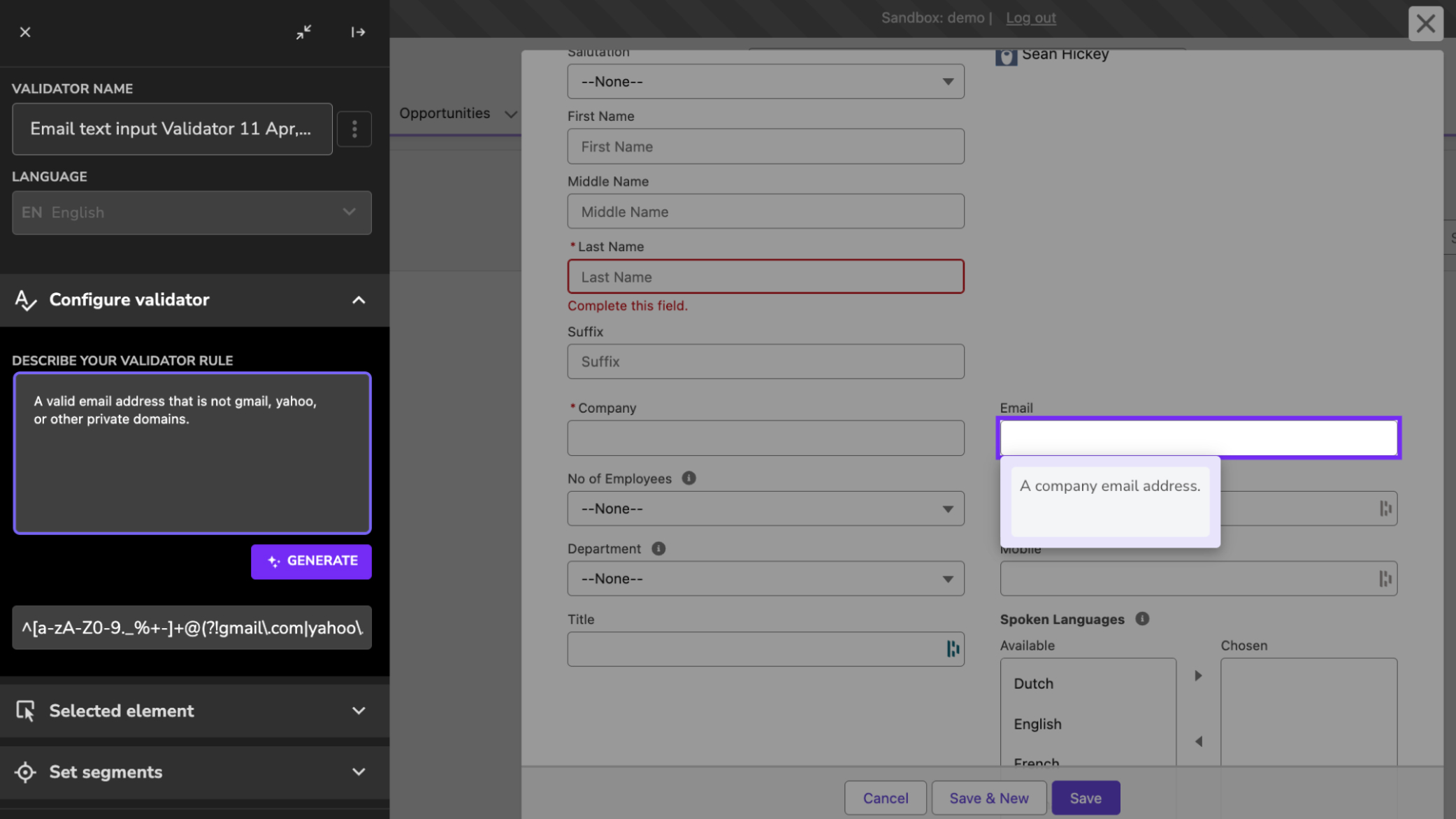
Data Validation
What it does: Custom validation rules for form fields inside any browser-based application. Errors are caught before submission.
Why it matters: Fixing bad data after entry costs far more than preventing it. Validation stops errors at the source.
- Enforce correct data patterns and formats at field level
- Flag unrealistic or out-of-range values before submission
- Apply department-specific rules without changing the application
Interactive Guidance
What it does: Guided workflows that standardize data entry processes and ensure consistency across all users.
Why it matters: People enter data differently without clear guidance. Standardized workflows eliminate variation.
- Auto-population: Fill known fields automatically
- Prevent confusion: Train while working
- Field-level help: Explain requirements in context
Proven Impact
- Prevent errors before they enter your systems
Reduce rework and manual data cleanup. - Standardize data entry across teams
Improve reporting accuracy and compliance.
70%
Increase in process efficiency
74%
Adoption improvement with in-app guidance

