

Maintaining accurate sales pipeline data
Increase Software Adoption

Pipeline Challenge
Sales teams depend on accurate CRM data to forecast revenue and prioritize deals. When reps skip required fields, enter inconsistent information, or fail to update opportunity stages, pipeline visibility collapses and forecasts miss the mark.
- 91% of CRM data is estimated to be incomplete, with 70% of that data becoming inaccurate annually
- 27.3% of sales reps’ time wasted on activities caused by inaccurate contact and pipeline data
- 37% of businesses report direct revenue loss as a consequence of poor CRM data quality
Periodic data cleanup campaigns and CRM training sessions address symptoms, not root causes. Without guidance at the point of entry, dirty data keeps flowing in.

Our Solution
Userlane keeps pipeline data clean by guiding sales reps through CRM workflows at the point of entry and flagging incomplete or inconsistent records in real time.
- In-app guidance prompts reps to complete required fields and update opportunity stages correctly as they work inside the CRM, reducing data entry shortcuts
- Form validations from the Engagement Suite enforce data standards at the field level, preventing incomplete or incorrectly formatted records from being saved
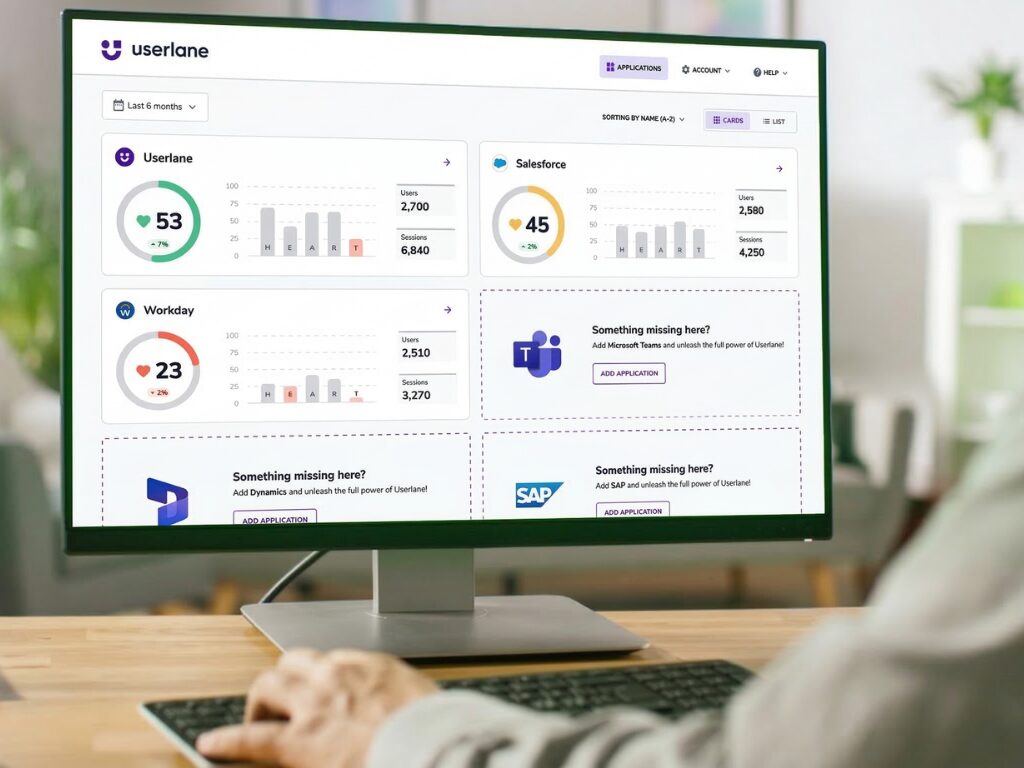
- HEART Analytics tracks CRM adoption and data completeness by team and individual, giving sales leaders visibility into where pipeline hygiene breaks down
The Userlane Assistant provides contextual answers to CRM process questions without reps needing to leave the application or contact IT support.
Proven Impact
136%
Quota achievement improvement from new hires
83%
More efficient CRM training delivery
Frequently Asked Questions

